Написание кода, который вручную вызывает API Claude, работает, но есть ещё более быстрый способ: поручите написание кода самому Claude. В этом уроке мы будем использовать Claude Code для заполнения интеграции API на основе заготовленного файла — используя те же примитивы, которые вы изучили в этом курсе.
Начало с заготовки
Проект простой: TypeScript-файл, который получает данные о погоде. В нём есть две заготовки:
- `getWeather` — принимает название города и возвращает температуру и условия.
- `run` — функция, которая должна использовать инструмент для запуска и TypeScript SDK от Claude.
Инструмент для запуска — это компонент, который обрабатывает вызовы инструментов и цикл агента за вас, поэтому не нужно настраивать это вручную.
Навык Claude API
Claude Code поставляется со встроенным навыком под названием Claude API. Вы можете вызвать его напрямую с помощью `/claude-api`, либо Claude Code автоматически активирует его, когда обнаружит, что вы используете TypeScript SDK.
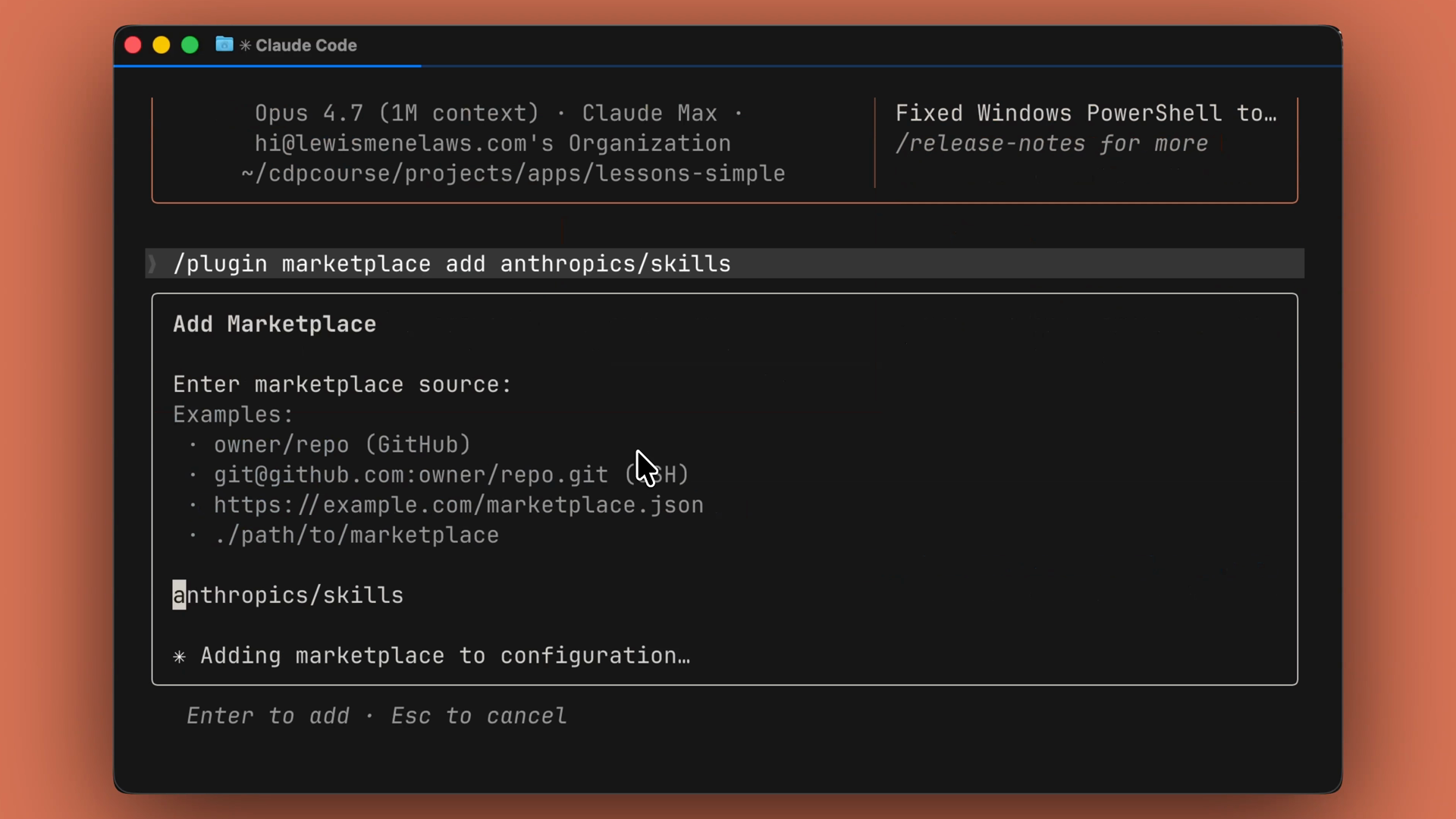
Если навык не отображается, вы можете добавить его из маркетплейса:
/plugin marketplace add AnthropicsSkills
Обратите внимание на букву s в конце Anthropics — её легко пропустить.
Один промт — работающий код
Откройте папку проекта в терминале и запустите Claude Code.
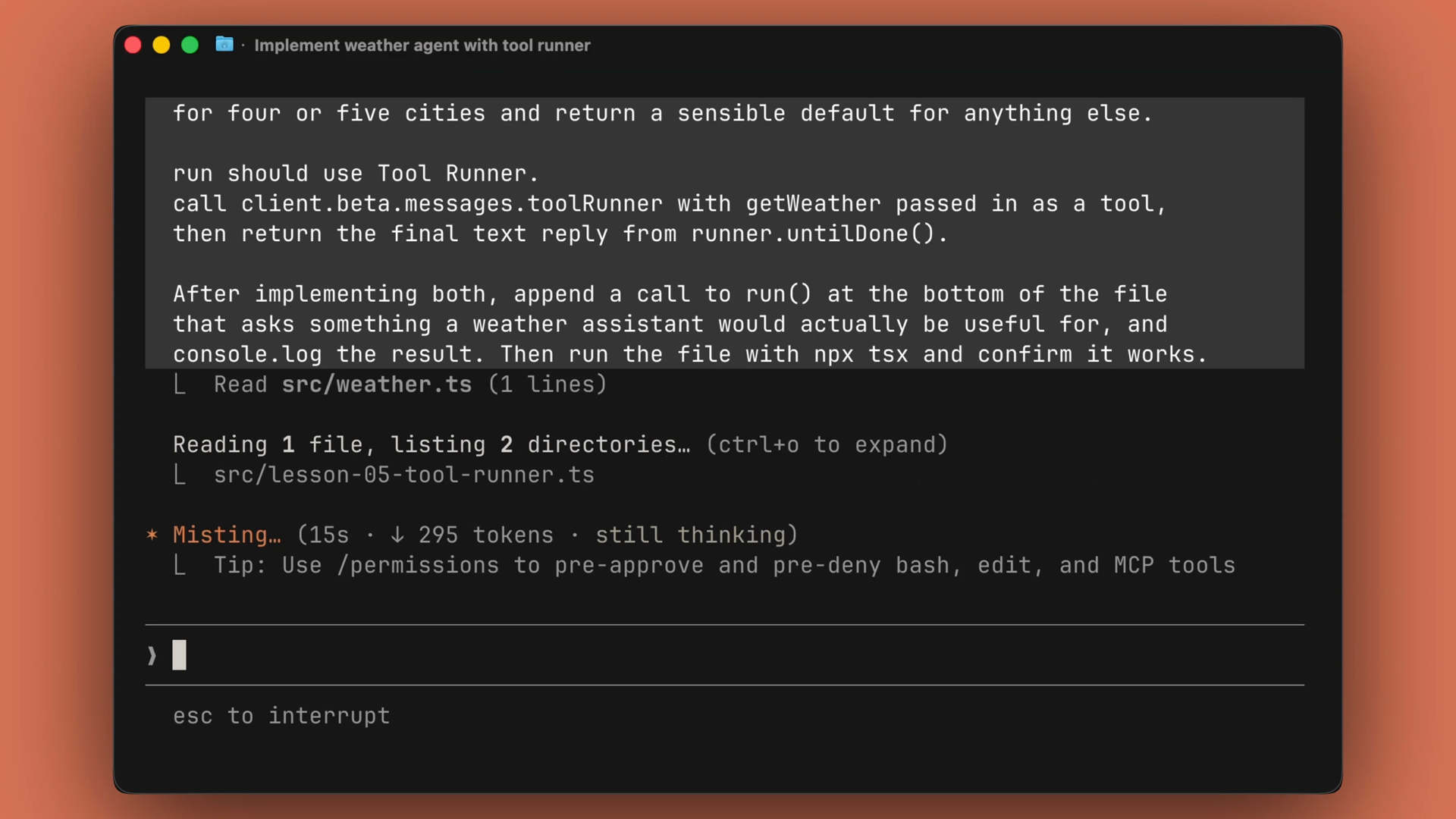
После этого достаточно одного промта. Хороший промт выполняет три действия:
- Указывает файл, который нужно изменить.
- Называет шаблон, который следует использовать.
- Описывает ожидаемый конечный результат.
Claude Code заполняет `getWeather` и `run` в соответствии с типами, добавляет вызов в конец файла, выполняет скрипт и выводит результат. Если возникает ошибка, он считывает сообщение об ошибке и исправляет код на месте.
Что произвёл Claude Code
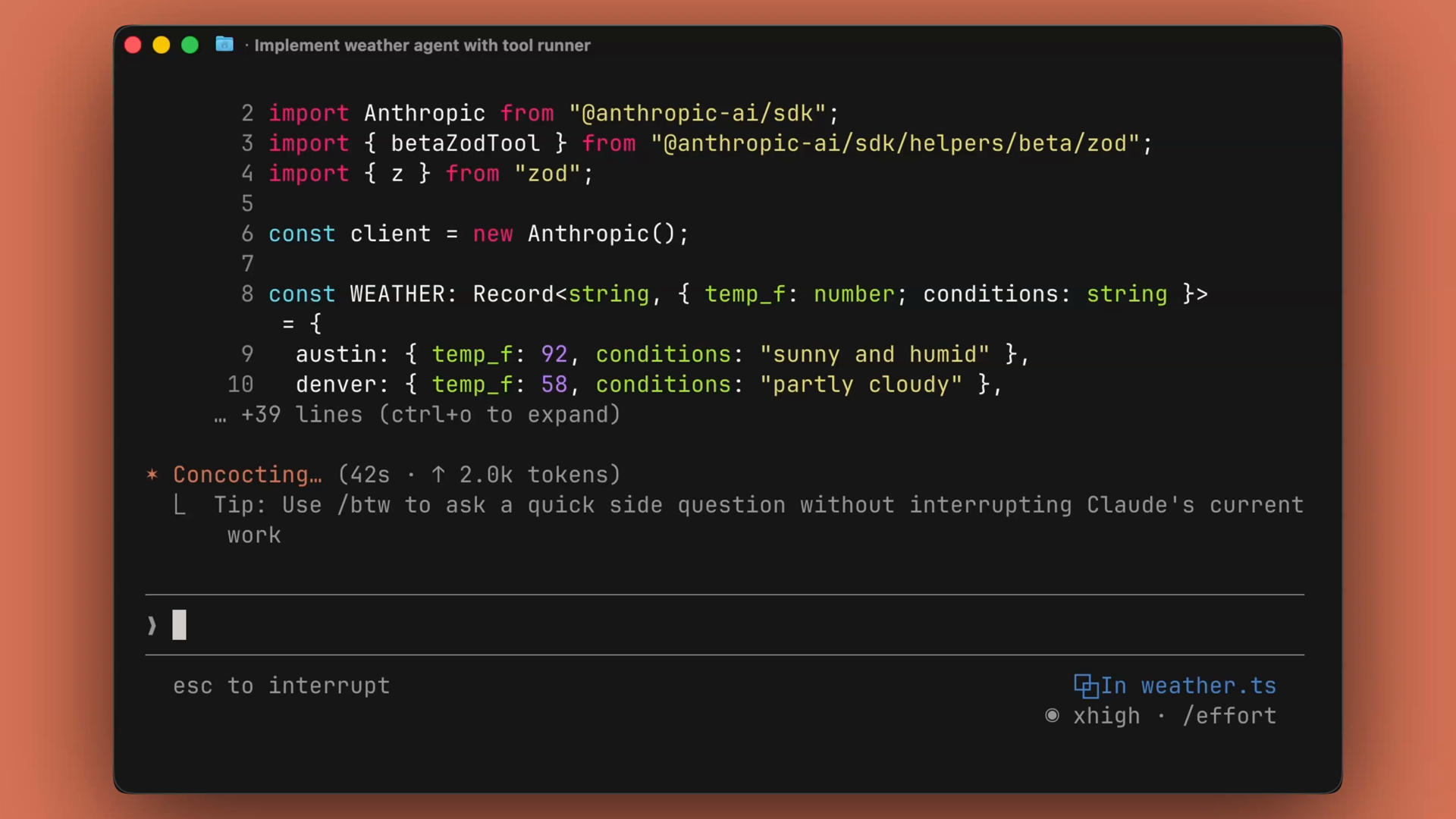
В этом запуске Claude Code создал инструмент на основе Zod, который анализирует входные данные и возвращает результат на основе типа города. Он также создал инструмент для запуска, функцию `run`, которую мы запросили, и вывел окончательные результаты цикла агента.
Шаблон, который стоит запомнить
Большинство кода, который вы пишете для работы с Claude API, имеет знакомую структуру:
- Определите инструмент.
- Передайте его в раннер.
- Верните результат.
Вам не нужно запоминать эту структуру каждый раз. Вместо этого создайте заготовку файла, передайте её Claude Code, и просто reviewте изменения.
Итоги
- Claude Code — это агент, который редактирует файлы и выполняет команды в вашем терминале.
- Встроенный навык Claude API загружается автоматически, когда Claude Code обнаруживает TypeScript SDK, либо вы можете вызвать его с помощью `/claude-api`.
- Дайте ему промт, который называет файл, шаблон и конечный результат — он напишет код, выполнит его и исправит ошибки на месте.
- Код для Claude API следует знакомой структуре: определите инструмент, передайте его в раннер, верните результат. Создайте заготовку, делегируйте задачу, reviewте изменения.
Writing code that calls the Claude API by hand works fine, but there's an even faster path: have Claude write it for you. In this lesson, we'll use Claude Code to fill in an API integration from a stubbed-out file — using the same primitives you've learned throughout this course.
Starting from a stub
The project is simple: a TypeScript file that gets weather. It contains two stubs:
- getWeather — accepts a city and returns the temperature and conditions.
- run — a function that should use the tool runner and the Claude TypeScript SDK.
The tool runner is the piece that handles tool calling and the agent loop for you, so you don't have to wire that up manually.
The Claude API skill
Claude Code comes with a built-in skill called Claude API. You can invoke it directly with /claude-api, or Claude Code will invoke it automatically when it detects that you're using the TypeScript SDK.
If you don't see the skill, you can add it from the marketplace:
/plugin marketplace add AnthropicsSkills
Note the s at the end of Anthropics — it's easy to miss.
One prompt, working code
Open the project folder in your terminal and launch Claude Code.
From there, it takes a single prompt. A good prompt does three things:
- It names the file you want changed.
- It names the pattern you want used.
- It names the end state you expect.
Claude Code then fills in getWeather and run against the types, appends a call at the bottom of the file, executes the script, and reports the output. If something errors out, it reads the error message and patches the code in place.
What Claude Code produced
In this run, Claude Code created a Zod tool that parsed the input and returned the output based on the city type. It also created the tool runner and the run function we asked for, and printed the final results of the agent loop.
The pattern to remember
Most of what you write against the Claude API has a familiar shape:
- Define a tool.
- Hand it to a runner.
- Return the result.
You don't need to type that from memory every single time. Instead, stub the file, hand it to Claude Code, and just review the diff.
Recap
- Claude Code is an agent that edits files and runs commands inside your terminal.
- The built-in Claude API skill loads automatically when Claude Code detects the TypeScript SDK, or you can invoke it with
/claude-api.
- Give it a prompt that names the file, the pattern, and the end state — it writes the code, runs it, and fixes errors in place.
- Claude API code follows a familiar shape: define a tool, hand it to a runner, return the result. Stub it, delegate it, review the diff.
