Anthropic Academy Courses My Profile Sign Out

Ваш первый API-запрос

Приветствие Клоду может согреть ваше сердце, но это не особо полезно. В этом уроке мы отправим Клоду что-то реальное и получим структурированный ответ — всего за 20 строк кода.

Настройка

Сначала получите API-ключ на platform.claude.com. Предварительно нужно приобрести кредиты.

Сохраните API-ключ в файл .env.local, чтобы он не попал в систему контроля версий. Хардкодинг ключей в исходных файлах — это верный способ их утечки на GitHub. Лучше использовать файлы окружения.

Далее установите SDK:

```bash

npm install @anthropic-ai/sdk

```

Структура запроса

Каждый API-запрос выполняется через функцию `messages.create`. Укажите три параметра:

  • Модель — какая модель Клода будет обрабатывать запрос
  • Лимит токенов — ограничение на длину ответа
  • Список сообщений — объекты с ролями "пользователь" или "ассистент", структурированные так же, как при общении с Клодом в других местах

Вот базовый пример:

```javascript

import Anthropic from "@anthropic-ai/sdk";

const client = new Anthropic();

const msg = await client.messages.create({

model: "claude-opus-4-7",

max_tokens: 1024,

messages: [{

role: "user",

content: "Hello, Claude",

}],

});

```

Реальный пример: проверка кода с ошибками

Давайте дадим Клоду что-то более интересное, чем "привет". Мы отправим ему код с ошибками и попросим проверить. Вот весь код — один файл, около 20 строк:

```javascript

import Anthropic from "@anthropic-ai/sdk";

const client = new Anthropic();

const buggyCode = `

function add(a, b) {

return a - b;

}

`;

const response = await client.messages.create({

model: "claude-opus-4-8",

max_tokens: 1024,

system: "You are a terse senior code reviewer. Give feedback in one paragraph.",

messages: [

],

});

for (const block of response.content) {

if (block.type === "text") {

console.log(block.text);

}

}

```

На что стоит обратить внимание:

  • Системный промт — здесь вы задаёте персонажа. Я хочу, чтобы ответ был кратким и от старшего разработчика, поэтому просто указываю это.
  • response.content — это массив блоков, а не строка. Обычно при текстовом ответе там только один блок типа `text`, но Клод может возвращать несколько блоков — текст, вызовы инструментов, рассуждения — поэтому всегда проходитесь по ним циклом и проверяйте тип.

Запустите код, и Клод заметит, что в функции `add` используется вычитание вместо сложения, и выдаст отзыв в одном абзаце. Вот и всё. Это и есть весь API-запрос.

От скрипта к продукту

В реальном продукте та же структура `messages.create` лежит в основе таких функций, как, например, `summarize`. Достаёте расшифровку встречи из базы данных, передаёте её Клоду с системным промтом "извлечь идеи и риски", сохраняете результат обратно в строку и возвращаете его в интерфейс. Это тот же самый запрос — просто обёрнутый в обработчик маршрута.

Итоги

  • Ваш первый API-запрос — это функция `messages.create` с указанием модели, лимита токенов и сообщений.
  • Храните API-ключ в файле `.env.local`, чтобы он не попал в систему контроля версий.
  • Используйте системный промт, чтобы задать поведение Клода.
  • Ответ приходит в виде массива блоков — проходитесь по ним циклом и проверяйте тип каждого.
  • С этого момента всё строится на этой основе.

Saying hi to Claude might warm your heart, but it's not really useful. In this lesson we'll send Claude something real and get structured insight back — in just under 20 lines of code.

Get set up

First, grab an API key from platform.claude.com. You'll need to purchase some credits beforehand.
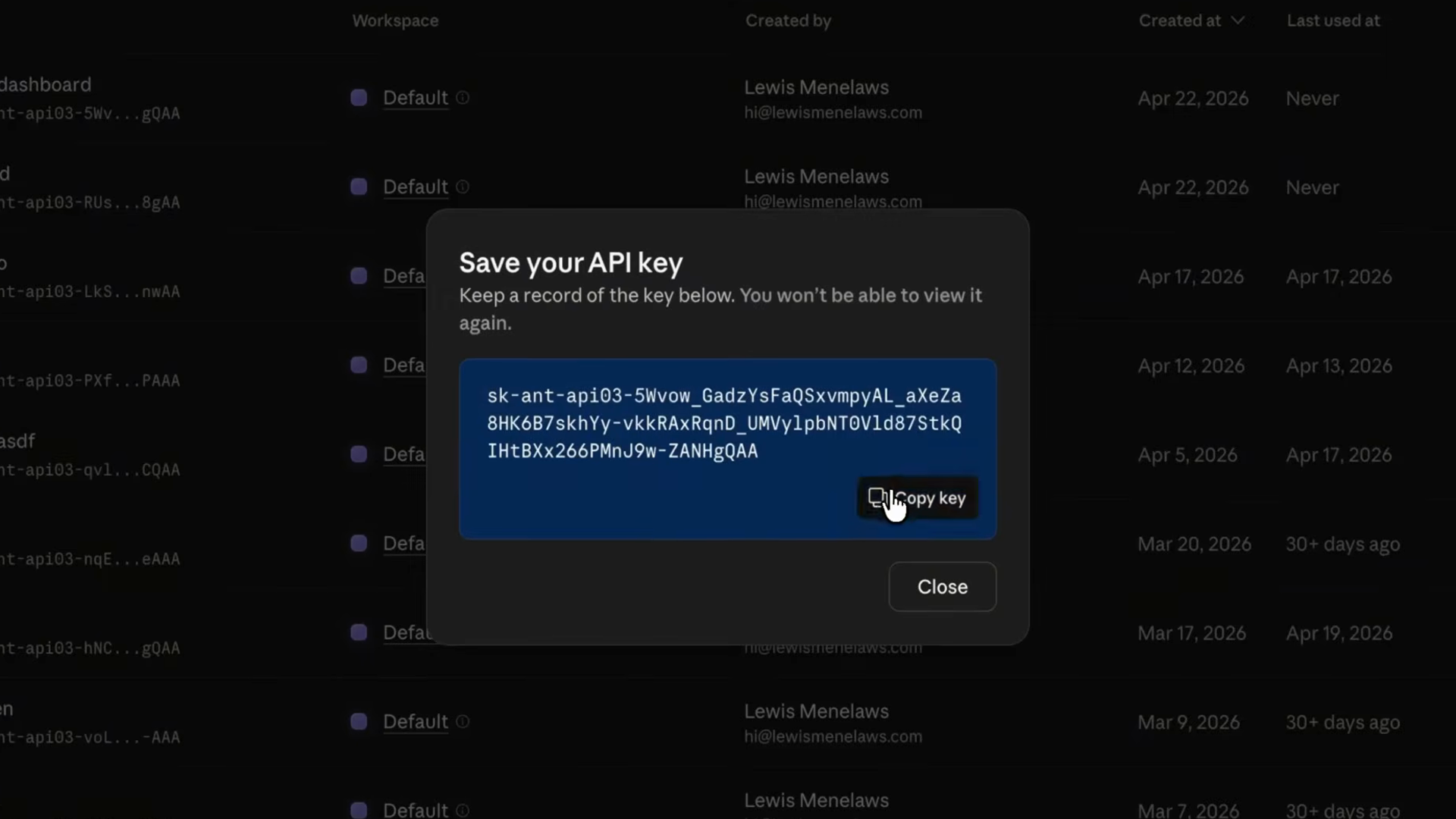
The Claude Console dialog showing a newly created API key with a Copy key button and a warning that the key won't be viewable again

Take the API key and store it in a .env.local file so it stays out of your version control. Hardcoding keys in source files is how they end up leaked on GitHub — keep them in environment files instead.

Next, install the SDK:

npm install @anthropic-ai/sdk

The anatomy of a request

Every API call goes through the messages.create function. You specify three things:

  • A model — which Claude model handles the request
  • A max tokens limit — a cap on how long the response can be
  • A list of messages — objects with either user or assistant roles, structured similarly to how you'd have a conversation with Claude elsewhere

Here's what that looks like in its most basic form:

import Anthropic from "@anthropic-ai/sdk";

const client = new Anthropic();

const msg = await client.messages.create({
  model: "claude-opus-4-7",
  max_tokens: 1024,
  messages: [{
    role: "user",
    content: "Hello, Claude",
  }],
});

A real example: reviewing buggy code

Let's give Claude something a little more interesting than "hello." We'll point it at some buggy code and ask for a review. Here's the whole thing — one file, about 20 lines of code:

import Anthropic from "@anthropic-ai/sdk";

const client = new Anthropic();

const buggyCode = `
function add(a, b) {
  return a - b;
}
`;

const response = await client.messages.create({
  model: "claude-opus-4-8",
  max_tokens: 1024,
  system: "You are a terse senior code reviewer. Give feedback in one paragraph.",
  messages: [
    { role: "user", content: `Review this code:\n${buggyCode}` },
  ],
});

for (const block of response.content) {
  if (block.type === "text") {
    console.log(block.text);
  }
}

Two things to notice here:

  1. The system prompt is where you shape the persona. I want a terse senior reviewer, not a chatty one — so I just say that.
  2. The message.content in the response is an array of blocks, not a string. For a basic text reply there's usually just one block of type text, but Claude can return multiple blocks — text, tool calls, thinking — so we always loop and check the type.

Run it, and Claude spots that add is subtracting and tells you in one paragraph. That's it. That's the whole API call.
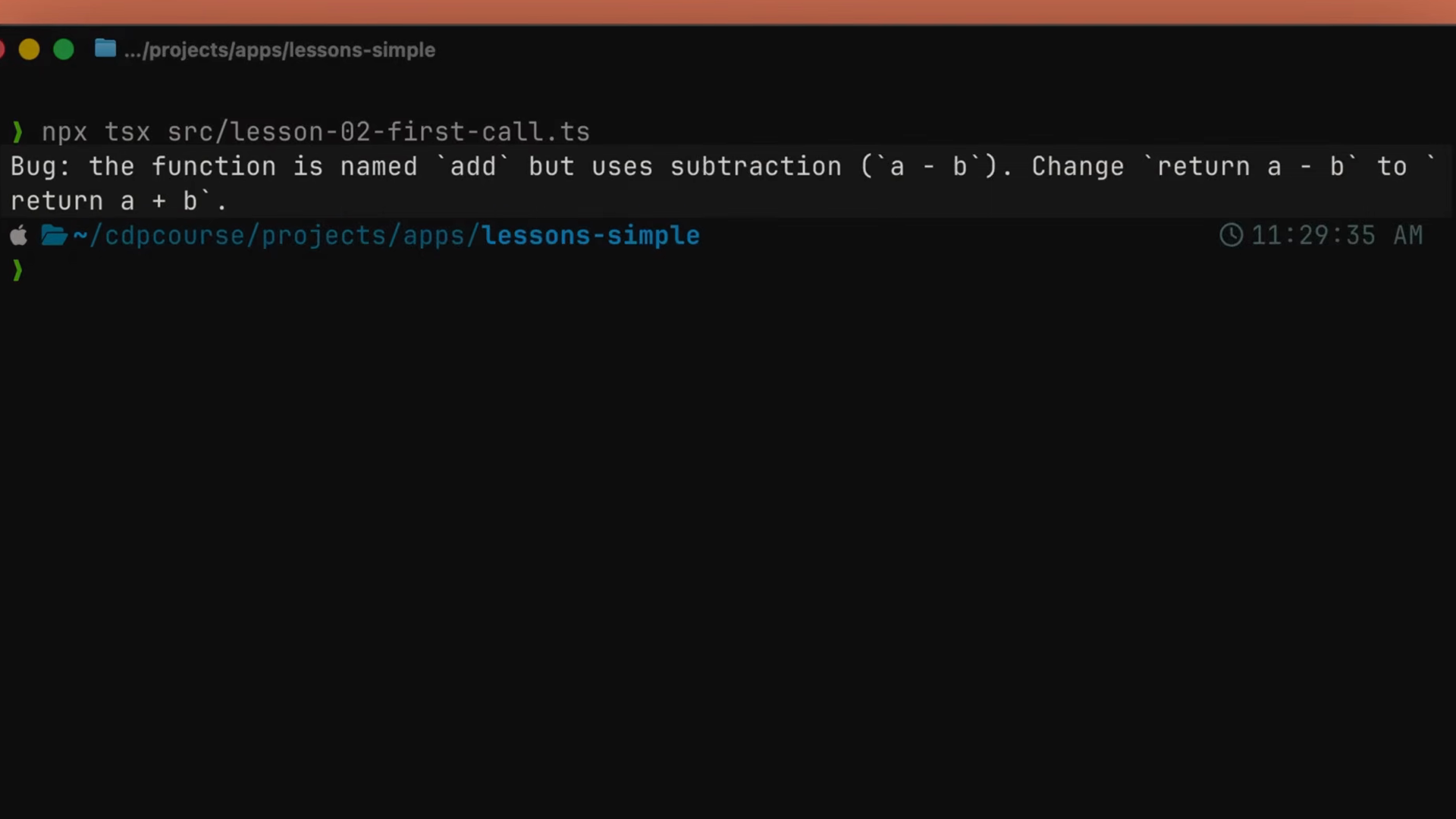
Terminal output from running the script: Claude responds that the function is named add but uses subtraction, and suggests changing return a - b to return a + b

From script to product

In a real product, this same messages.create shape is the engine behind something like a summarize endpoint. Pull a meeting transcript out of the database, hand it to Claude with a system prompt that says "extract insights and risks," save the result back on the row, and return it to the UI. It's the same call — just wrapped in a route handler.
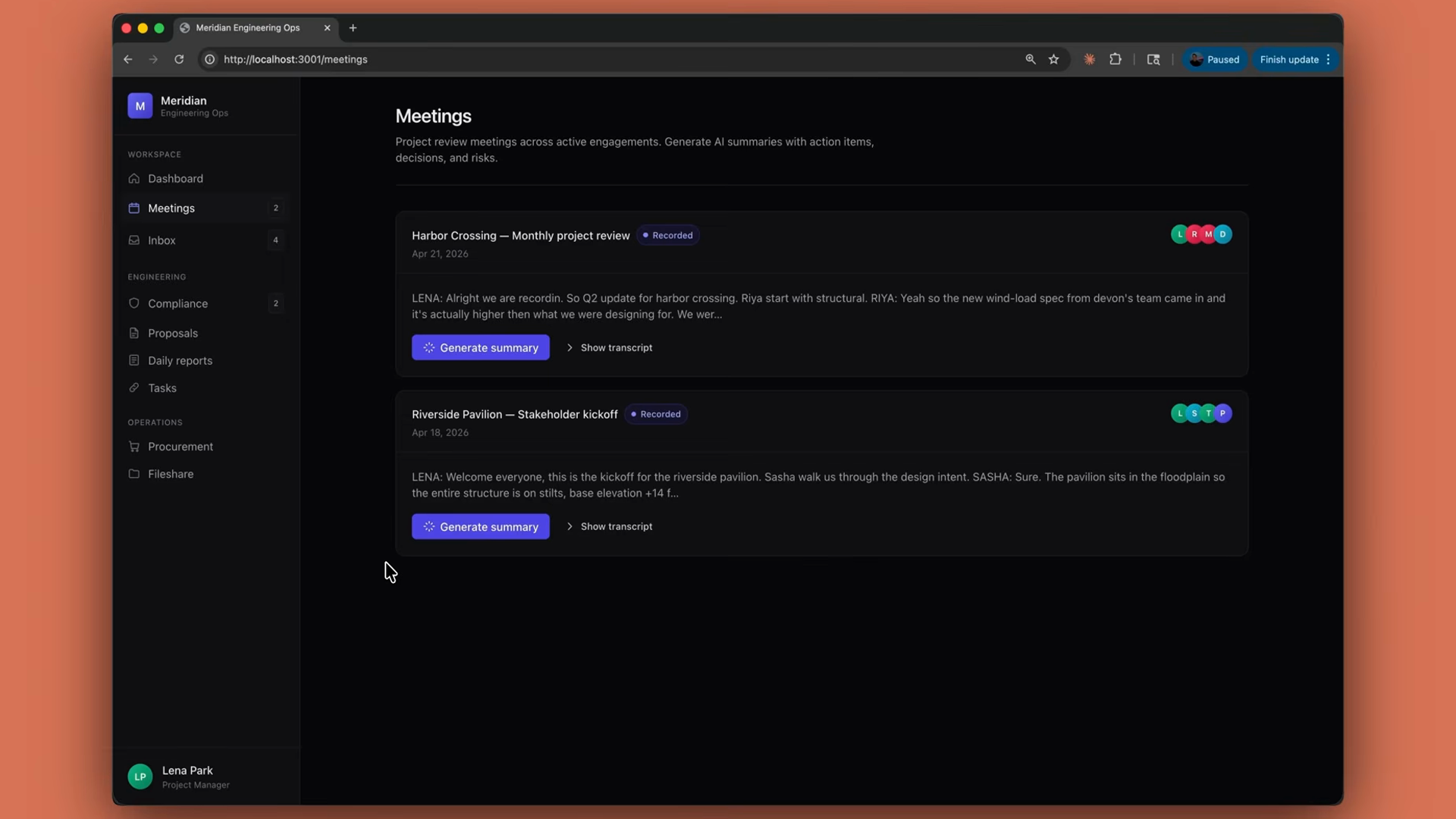
A meetings dashboard in a demo web app listing recorded project meetings, each with a transcript preview and a Generate summary button powered by the same API call

Recap

  • Your first API call is a messages.create function with a model, a token limit, and messages.
  • Store your API key in a .env.local file to keep it out of version control.
  • Add a system prompt to shape Claude's behavior.
  • The response content is an array of blocks — loop and check each block's type.
  • From here, everything builds on this pattern.