Одно из самых полезных функций в Claude Code — это файл CLAUDE.md. Он предоставляет Claude Code постоянную память о вашем проекте.
Проблема, которую он решает
Когда вы открываете Claude Code без файла CLAUDE.md, он начинает заново каждый раз. Ему приходится заново изучать вашу кодовую базу, выяснять, какие зависимости нужны, и разбираться, какие функции уже реализованы. Иногда он делает предположения, что усложняет управление Claude в нужном направлении.
CLAUDE.md решает эту проблему. Это Markdown-файл, который вы добавляете в корень вашего проекта, и Claude Code автоматически считывает его каждый раз при начале сеанса. Представьте его как сценарий адаптации для вашей кодовой базы. Содержимое файла CLAUDE.md добавляется к вашему запросу.
Пример
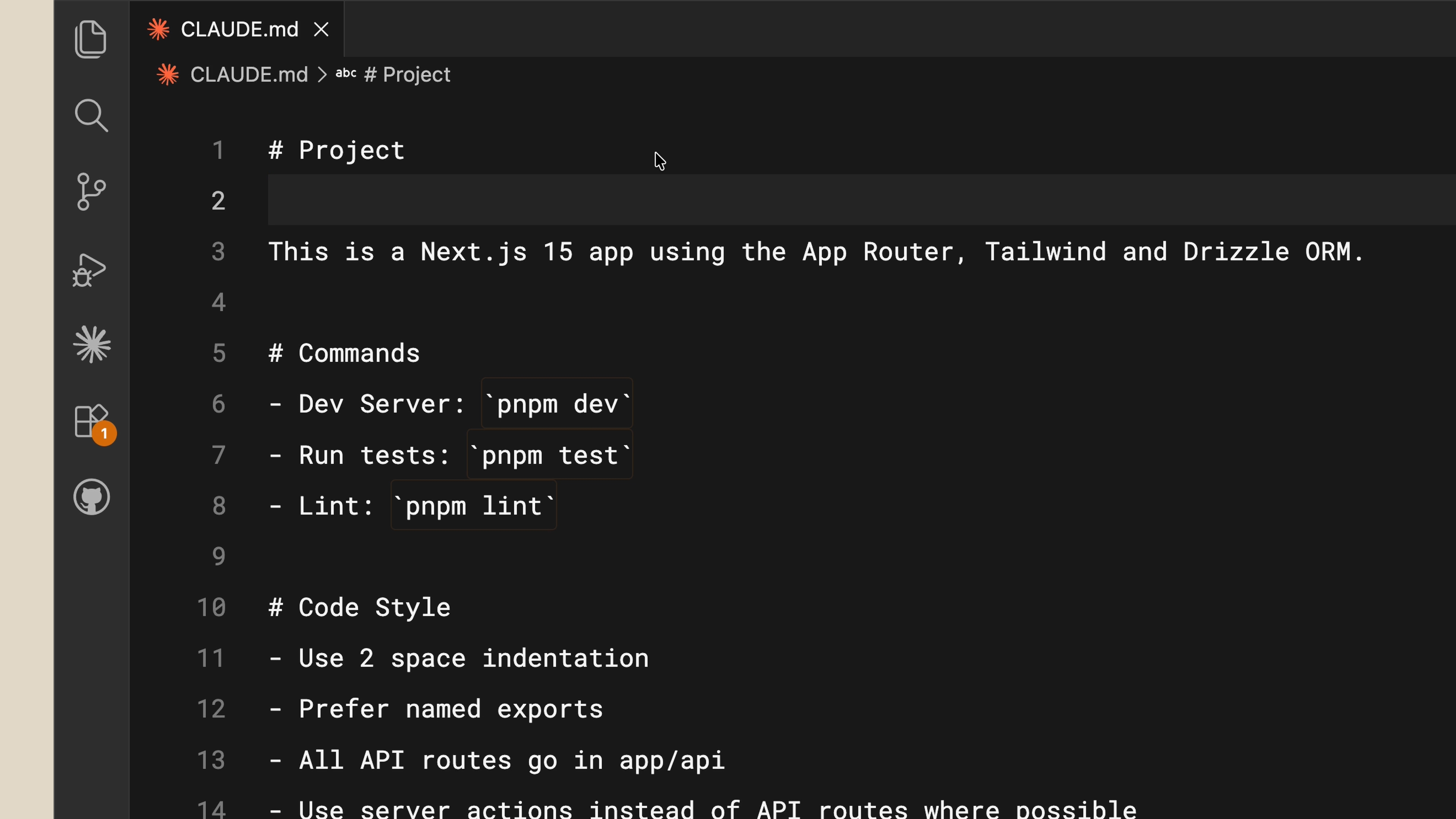
Вот как выглядит типичный файл CLAUDE.md:
Проект
Это приложение Next.js 15 с использованием App Router, Tailwind и ORM Drizzle.
Команды
- Dev-сервер: `pnpm dev`
- Запуск тестов: `pnpm test`
- Линтинг: `pnpm lint`
Стиль кода
- Использовать отступы в 2 пробела
- Предпочитать именованные экспорты
- Все API-маршруты размещать в app/api/
- Использовать серверные действия вместо API-маршрутов, где это возможно
Всё просто. Теперь, если вы попросите Claude Code создать React-компонент, он уже будет знать, что использовать Tailwind для стилизации и следовать вашим соглашениям о коде.
CLAUDE.md для команд
Вы можете (и должны) фиксировать свой CLAUDE.md в системе контроля версий, чтобы ваша команда могла им пользоваться. На самом деле существует иерархия файлов памяти в зависимости от того, для кого они предназначены:
- Проектный CLAUDE.md находится в корневом каталоге вашего проекта. Общий для команды.
- Пользовательский CLAUDE.md находится в вашей папке конфигурации. Он только для вас и применяется ко всем вашим проектам. Поместите сюда свои личные предпочтения.
Советы
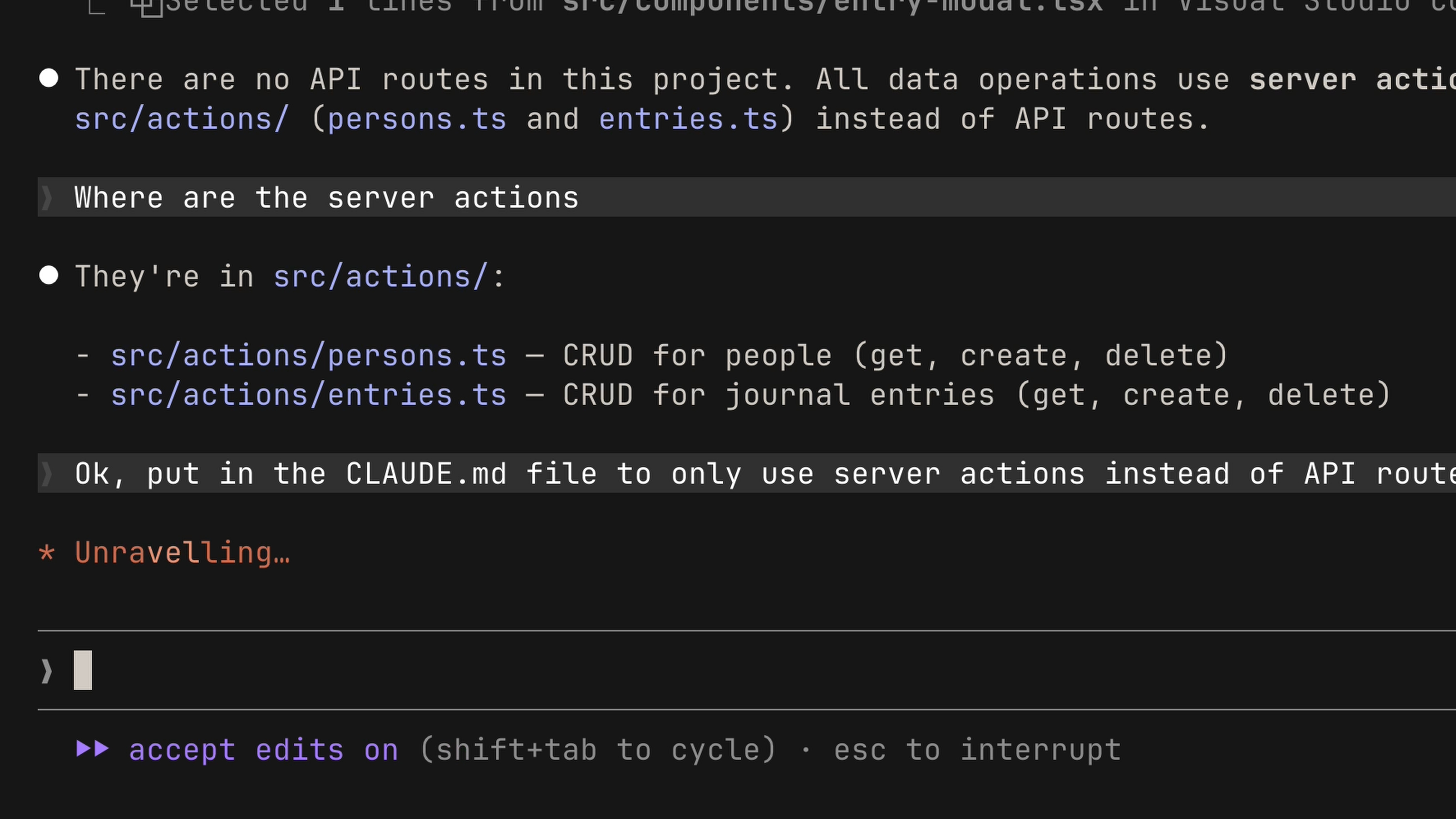
Сохраняйте исправления в памяти. Если вы постоянно поправляете Claude — например, говорите ему всегда использовать серверные действия вместо API-маршрутов — явно попросите Claude сохранить это правило в памяти. В следующий раз при открытии проекта он уже будет знать об этом.
Ссылайтесь на документацию проекта. Если у вас есть документация в проекте, на которую вы хотите, чтобы ссылался Claude, используйте символ @ с путём к файлу:
README.md
Подробнее читайте здесь: @README.md
Начинайте без него
Мы рекомендуем начинать проект без файла CLAUDE.md, чтобы вы могли увидеть, где вам постоянно приходится корректировать модель. Это позволит сделать ваш CLAUDE.md компактным и сосредоточенным только на необходимой информации. Когда будете готовы, выполните команду /init, чтобы Claude сгенерировал его для вас.
Итоги
Разница между разочаровывающим и продуктивным сеансом в Claude Code часто заключается в контексте — а файл CLAUDE.md — это способ предоставить этот контекст. Начните с вашего стека, предпочтений и команд, а затем расширяйте его по мере необходимости.
One of the most useful features in Claude Code is the CLAUDE.md file. It gives Claude Code persistent memory about your project.
The Problem It Solves
When you open Claude Code without a CLAUDE.md file, it starts fresh every time. It has to re-explore your codebase, figure out what dependencies are needed, and understand what features are already implemented. Sometimes it makes assumptions, which makes it harder to steer Claude in the right direction.
CLAUDE.md solves this. It's a Markdown file you add to the root of your project, and Claude Code reads it automatically every time you start a session. Think of it as an onboarding script for your codebase. The contents of the CLAUDE.md file are appended to your prompt.
An Example
Here's what a typical CLAUDE.md file looks like:
# Project

This is a Next.js 15 app using the App Router, Tailwind, and Drizzle ORM.

# Commands
- Dev server: `pnpm dev`
- Run tests: `pnpm test`
- Lint: `pnpm lint`

# Code Style
- Use 2-space indentation
- Prefer named exports
- All API routes go in app/api/
- Use server actions instead of API routes where possible
It's straightforward. Now if you ask Claude Code to create a React component, it already knows to use Tailwind for styling and to follow your code conventions.
CLAUDE.md is for Teams
You can (and should) commit your CLAUDE.md to version control so your team benefits from it. There's actually a hierarchy of memory files depending on who they're for:
- Project-level CLAUDE.md lives in the root directory of your project. Shared with the team.
- User-level CLAUDE.md lives in your configuration folder. This one is just for you and applies across all your projects. Put your personal preferences here.
Tips
Save corrections to memory. If you find yourself correcting Claude repeatedly — like telling it to always use server actions instead of API routes — explicitly ask Claude to save that rule to memory. Next time you open the project, it'll know.
Reference project docs. If you have documentation in your project that you want Claude to reference, use the @ symbol with the file path:
## README.md

Please read if you need more info: @README.md
Start without one. We recommend starting a project without a CLAUDE.md file so you can see where you constantly have to course-correct the model. This keeps your CLAUDE.md compact and focused on only the necessary information. When you're ready, run /init to have Claude generate one for you.
Recap
The difference between a frustrating Claude Code session and a productive one often comes down to context — and the CLAUDE.md file is how you provide that context. Start with your stack, your preferences, and your commands, then build from there as you go.
